
UPI Without Internet: Send money without internet! Now UPI payments can be made from feature phones too, learn how it works
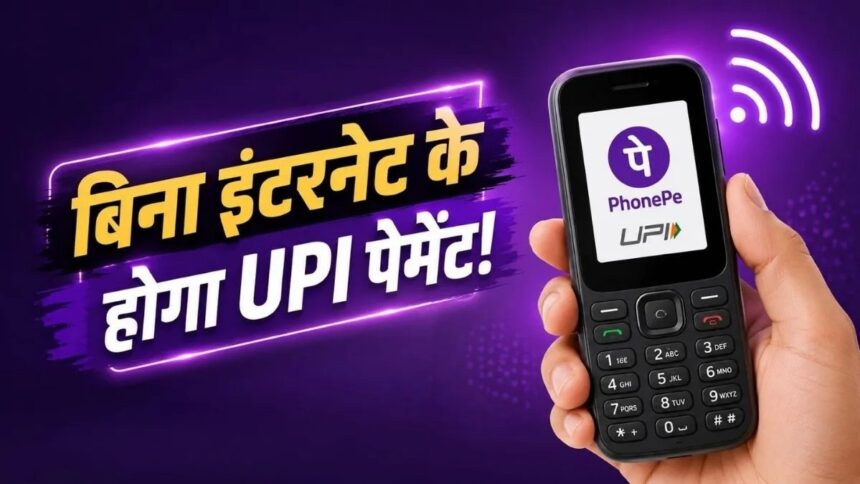
New Delhi. UPI Without Internet: If you don't have a smartphone but still use a feature phone, there's big news for you regarding digital payments. PhonePe has launched the UPI 123Pay service for feature phone users, allowing UPI payments from select feature phones without a standard internet connection.
This feature can be of greatest benefit to those who don't use smartphones or live in areas with poor internet connectivity. According to PhonePe, this initiative aims to connect feature phone users to the convenience of digital payments.
How will payment be made without internet?
UPI 123Pay is specifically designed for users who don't need a smartphone or a constant internet connection to use UPI. The service allows users to access essential UPI features from feature phones.
This means that even if your phone does not have normal internet, you will still be able to do things like sending money and making payments depending on the available facility and network.
You can do this work from a feature phone
This PhonePe feature is said to provide users with several essential UPI features.
- Sending money to another person
- Make UPI payment to the merchant
- Checking bank account balance
- Viewing past transaction details
- In the future, facilities like bill payment and mobile recharge will be available.
May be included.
This can reduce the need for feature phone users to rely on cash every time for small and big everyday payments.
Which feature phones will get support?
Initially, this feature is being made available in selected feature phone models of HMD, Nokia, Lava International and Itel Mobile.
The mentioned supported models include phones like HMD 105 2G, HMD 110 2G, Nokia 105 Classic, Nokia 105 Single SIM, Nokia 105 Dual SIM, Nokia 106 and Nokia 123 Shield.
In the coming time, its support can be extended to some other feature phone models also.
Help will also be available through voice
PhonePe has announced that it will offer an AI-powered voice helpline for users' convenience. This service will offer support in English and several Indian languages.
Through this, users can be provided with step-by-step information on how to activate and use UPI 123Pay. General questions related to UPI can also be answered through the voice helpline.
How to start UPI 123Pay?
To activate the service, first ensure that your feature phone supports it. Then, open the PhonePe service on your phone and accept the required terms and conditions.
The user will then need to select their bank account. The registration process may ask for debit card information and other relevant details. Then, they will need to set a UPI PIN.
After completion of registration, payment can be made through mobile number, contact or UPI ID as per the available options.
If the feature phone has a camera and supports the relevant feature, payments can also be made through QR code.
Be careful while making payment
When using UPI, it's crucial to thoroughly verify the other person's information and the amount before making a payment. Never share your UPI PIN with anyone.
If someone calls you and asks for your UPI PIN, OTP, or confidential bank information, don't share it. Also, avoid clicking on unknown links and entering your banking information.
Can be beneficial in areas with weak internet
A large number of people in India still use feature phones. Internet connectivity is also not always good in many rural and remote areas.
In this context, UPI on feature phones could help expand digital payments reach more people. This feature could be especially useful for small shopkeepers, people living in rural areas, and users who don't own smartphones.
A big step towards digital payments without a smartphone
PhonePe's UPI 123Pay service aims to expand digital payment access for feature phone users. However, this feature may not be available on all feature phones, so please check your phone model and the availability of the relevant service before using it.








.jpeg "A New Milestone in Good Governance : CM Helpline Becomes the Voice of the People, Over 92,000 Complaints Registered and More Than 42,000 Grievances Resolved in Just One Month,48 Government Departments on a Single Platform; Raipur Leads Among Districts, Energy Department Tops in Grievance Redressal")